Turn on bank account payments (ACH) for your customers
Let customers pay invoices straight from their bank account, at a lower processing fee than cards, with one checkbox in Business Settings.
Your Stripe account needs to be connected and able to accept online payments first. If it isn't, Business Settings shows an explanatory message instead of a checkbox — there's nothing to turn on until that's in place.
1Turn on bank payments
-
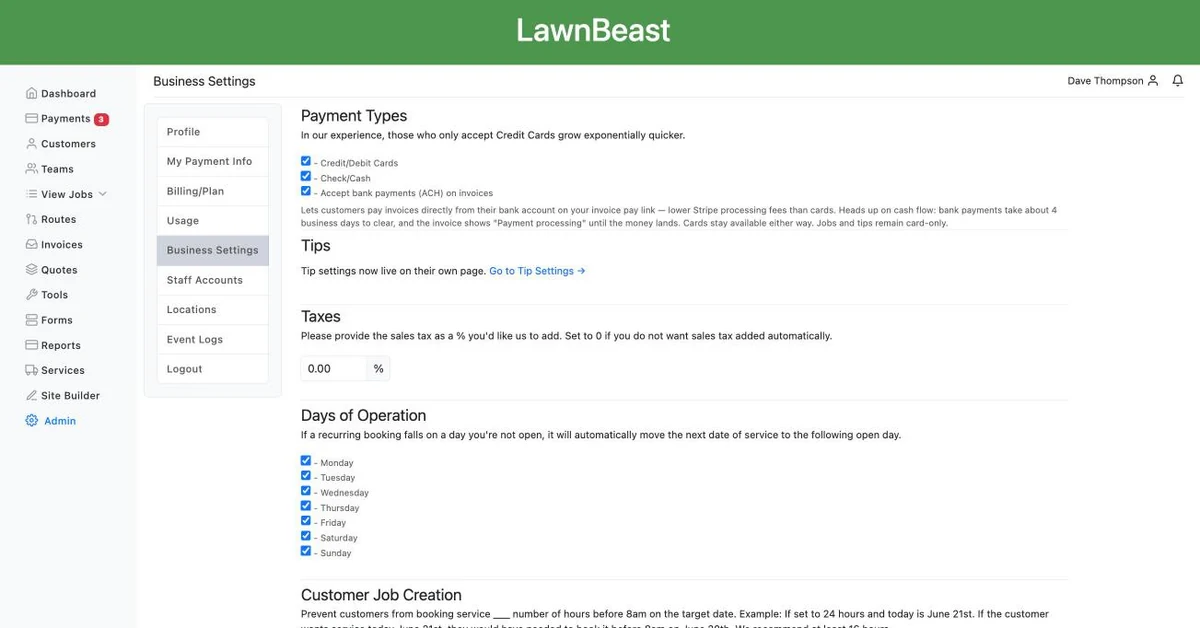
Go to Business Settings.
-
Check Accept bank payments (ACH) on invoices. Underneath it, the page explains what this does: customers can pay invoices straight from their bank account, at a lower processing fee than cards, but a bank payment takes about 4 business days to clear and the invoice shows "Payment processing" until it does.
- Cards stay available either way — this only adds bank accounts as a second option, it doesn't replace anything.
- Jobs and tips are unaffected. Card-only, always. This setting only changes what shows up on the invoice pay link.
-
Click Save Changes.
You'll see a message about connecting Stripe instead. That means your Stripe account isn't yet cleared to accept online payments — finish that first, then come back to this page.
How to check it worked
Open an unpaid invoice's pay link (or the portal's Payment Info page for one of your customers) — a bank account option now appears alongside card.
2What changes for your customers
- A new option on the invoice pay link. Customers paying an invoice can choose a bank account instead of a card.
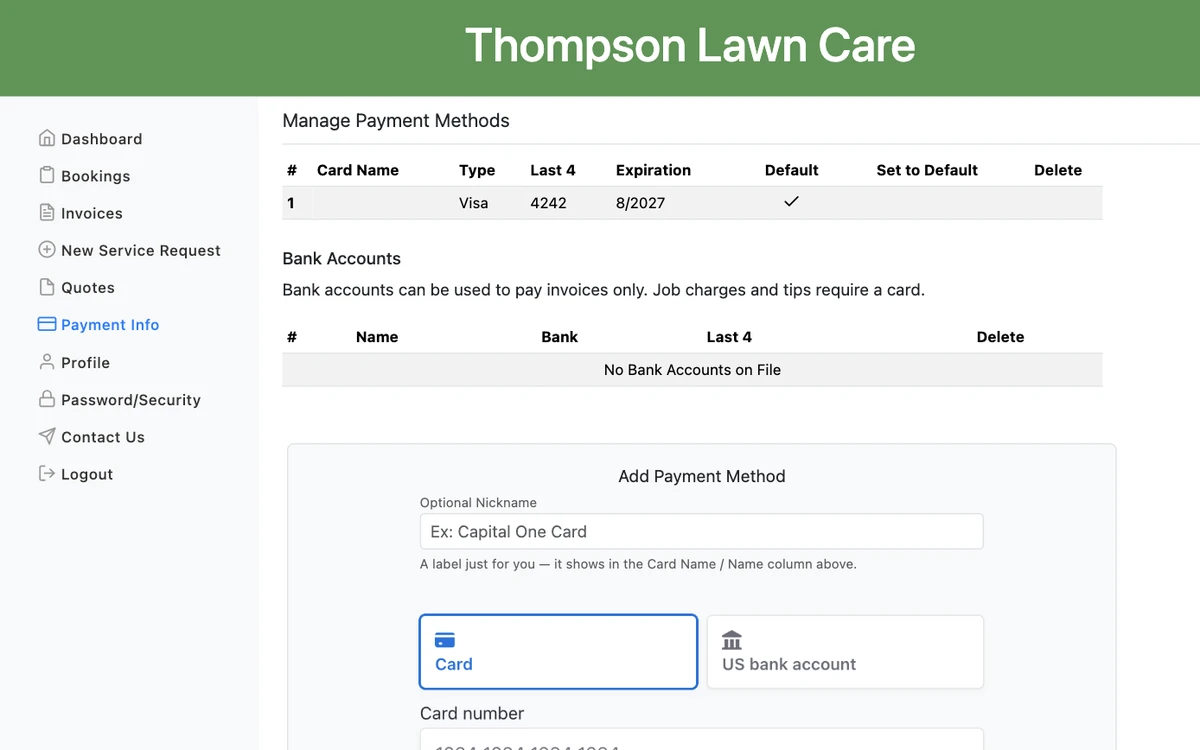
- An "Add Payment Method" option in their portal. Under Bank Accounts in the customer portal's Payment Info page, a customer can save a bank account the same way they'd save a card — the page notes that bank accounts pay invoices only, and that adding one won't change their default card.
- No default-payment control on a bank account. Cards can be set as a customer's default payment method; bank accounts can't — that's deliberate, since jobs, tips and pre-authorizations all require a card.
How to check it worked
Ask a customer to check their Payment Info page, or look yourself with a test account — the Bank Accounts table appears once this setting is on, where before there was none.