Credit Card Processing
Accept credit card payments through Stripe with automatic fee handling.
A card on file gets charged the moment a job is done, or held in advance for work that's scheduled ahead — no invoice, no waiting on a check, no separate trip to a payment page.
Who this is for
What it does
- Charges a job's card in one click. The Jobs list has a direct Charge button per row that submits immediately — no confirmation step.
- Or with a confirm-first modal. Opening a job's Insights and clicking Charge shows the customer, amount and card's last four digits, plus a choice to email a receipt, before you click Charge!
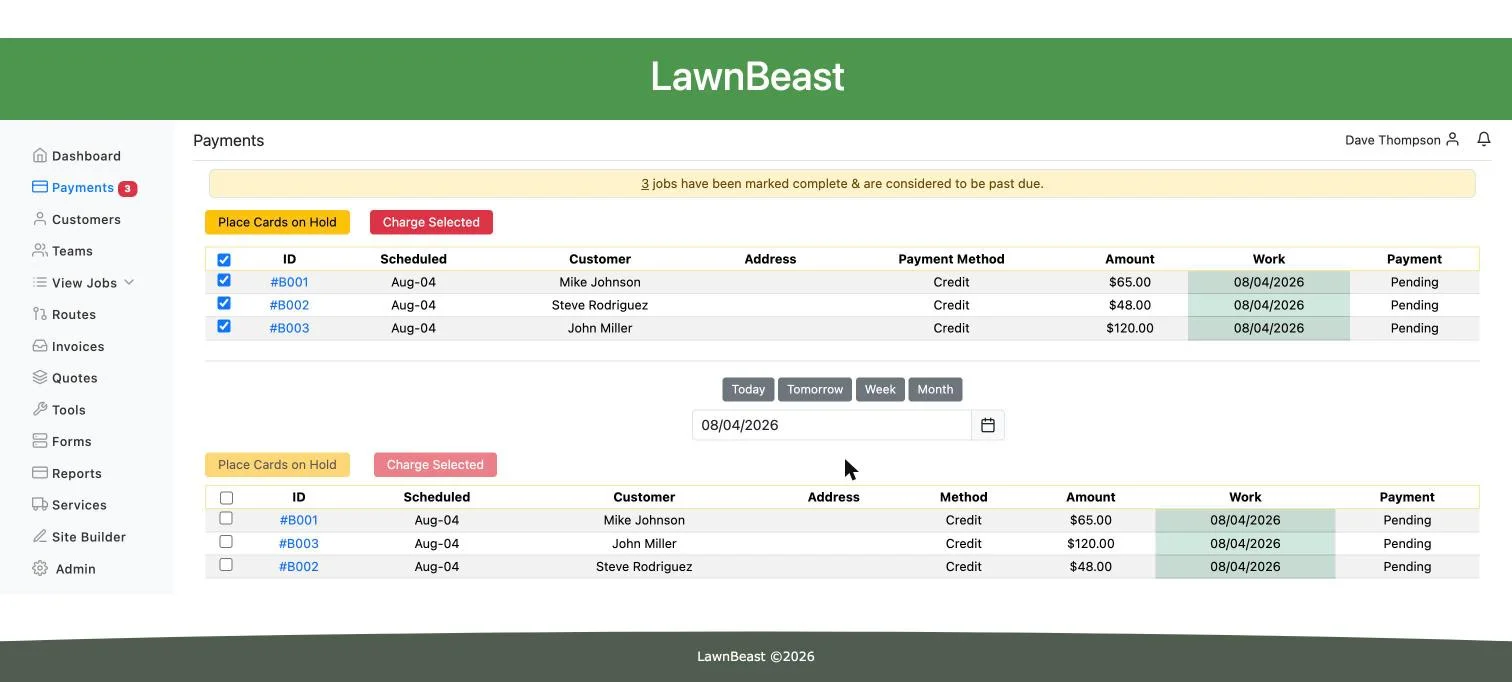
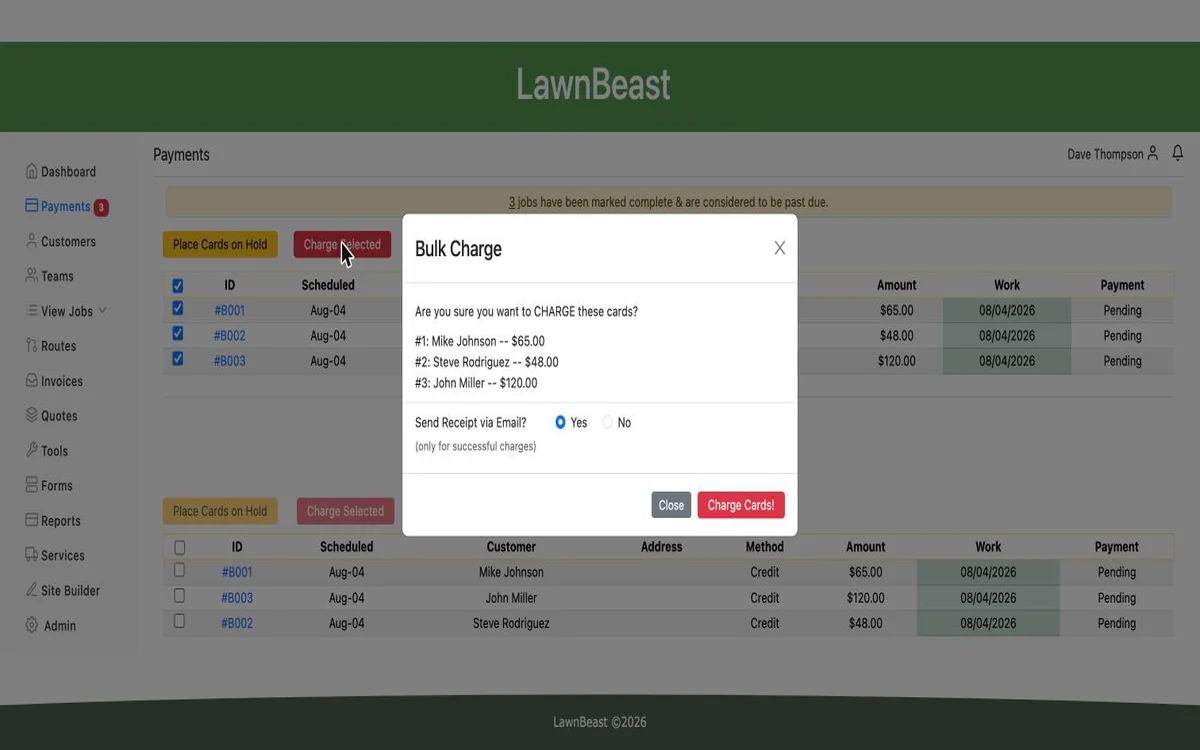
- Charges many jobs at once. The Payments homepage's Bulk Charge modal charges every selected job's card in one action.
- Places a hold before the work happens. A card can be authorized in advance without capturing the money, then either captured once the job is complete or released.
- Refunds a completed charge, full or partial. The refund modal shows the original amount, what's already been refunded, and what's left, with an option to notify the customer.
- Surfaces why a charge failed. A declined job carries the decline reason on the job itself instead of leaving you to guess.
- Only appears once Stripe Connect is live. Card-charge actions are gated on the account actually being connected to Stripe, on top of a per-account "Accept Credit Card Payments" toggle that's on by default.
Card-charged jobs and invoices are separate payment paths — a job billed by card is never swept into an automatically generated invoice.
What you get out of it
Common questions
Do I need Stripe Connect set up first?
Yes. Card charging is gated on your account actually being connected to Stripe — connecting the account itself is a separate, one-time setup step. If you haven't done that yet, see the Stripe Connect feature.
Is there a fee taken out of each charge?
Yes, a platform fee is deducted automatically from every card charge before the rest settles to your connected Stripe account.
What happens if the card requires extra verification (3D Secure)?
The charge fails rather than prompting the customer for a step-up, since you're charging on their behalf rather than them entering the card themselves. If that happens, ask the customer to pay their own invoice through the online pay link instead, where their browser can complete any extra verification.
Can I charge an invoice's card the same way I charge a job?
No. Card charging is a job action. An invoice's "Receive Payment" button records that a payment already happened — by check, cash, or the customer's own online payment — it doesn't start a new charge. Customers pay an invoice's card themselves through the invoice's online pay link. If you're not sure which path a given piece of work should take, see Jobs vs. Invoices.
Can I refund only part of a charge?
Yes. The refund amount defaults to what's still refundable and can be edited down for a partial refund; the job tracks the original amount, what's been refunded, and what's left.
Can I turn off card payments and only take checks?
Yes. "Accept Credit Card Payments" in Business Settings → Payment Types is on by default alongside check payments, and either can be turned off.
Ready to get started?
Accept credit card payments through Stripe with automatic fee handling.