LawnBeast invoices can now be paid online
Every open or partially paid invoice carries a pay link on your own LawnBeast site that a customer can open and pay by card with no login and no account — as soon as your Stripe Connect setup is finished.
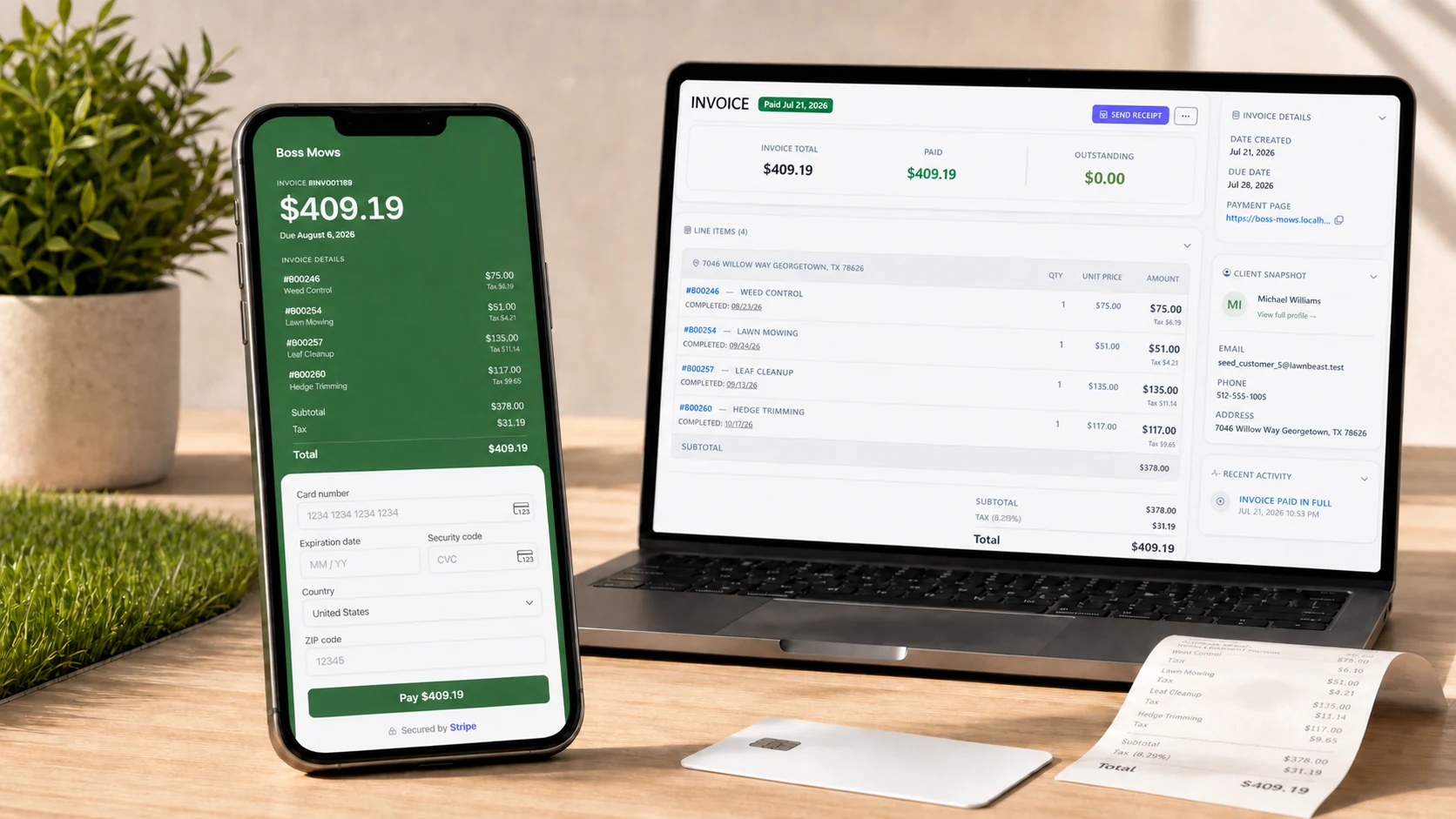
The gist
Sent with every invoice
A Pay Online button rides along in the invoice email you already send, and in every automatic reminder — nothing extra to set up.
Full detail, no attachments
Every line item is right there on the pay page — no PDF to open, no math to double check.
Paid in a tap
A card, right on the page — no login, no account, and nothing to download.
Why you'll love it
Customers used to need a PDF, a login, or a phone call just to find out what they owed. Now the button in the invoice email opens the invoice itself — every line item, the tax, and the amount due — with a card form right there. Checking the total and paying it happen on the same page.
A bill they can't easily pay is a bill that sits. There's no sign-in step and nothing for them to create — just the invoice and a card field.
One button, everywhere you already send the invoice
- The invoice email. The same Pay Online button rides along whether you send it from the invoice page, a customer requests it from their portal, or it goes out from the iPhone app.
- The reminder emails. It appears again in the automatic reminders: one three days before the due date, then at 3, 7, 14, 21 and 30 days past due.
- A copyable link for you. The invoice detail page has a Copy payment link button, so you can send it yourself however you'd reach that customer — text, chat, whatever's fastest.
Getting paid used to mean
A PDF, a login, or a call
and no guarantee any of it got opened
Now it's
One link in the email
opens to the invoice, ends on Paid
0
apps to download
1 link
from email to paid
24/7
available to pay