Customer Tipping
Let customers add a tip when they pay, or after the job is already paid for.
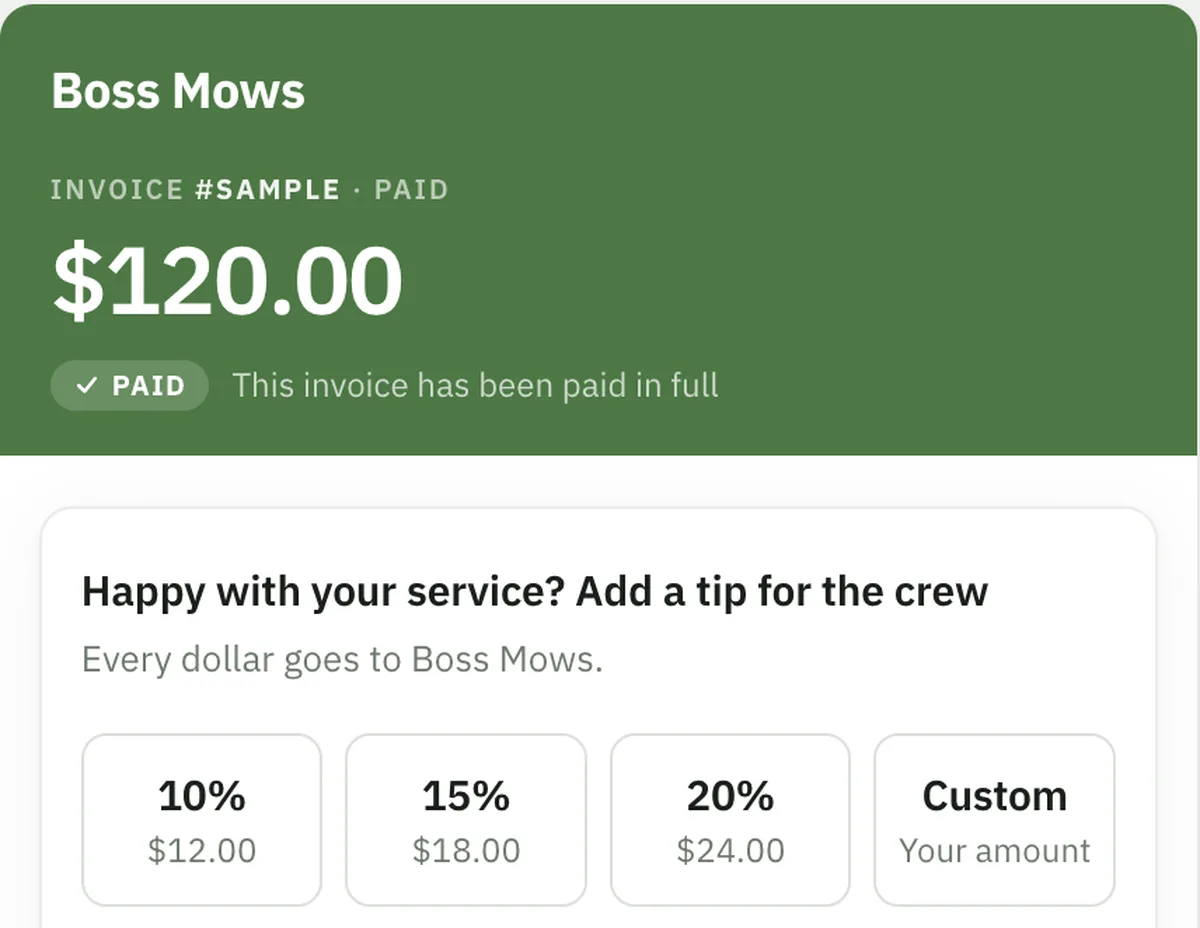
Let your customers add a tip when they pay — on the invoice pay link, in the receipt email, or on a link you send after the job is already paid for.
Who this is for
What it does
- Puts tip buttons on your invoice pay link. Three percentage buttons of the invoice total, plus a custom amount if you allow one. The tip rides along on the same card payment as the balance — one charge, not two.
- Invites a tip in your receipt emails. The invoice receipt and the job receipt can both carry a tip link.
- Sends a tip link for work that's already paid for. A paid invoice or a completed job you charged directly gets its own tip page, so the ask isn't lost the moment the money clears. It works on invoices you settled offline and marked paid yourself.
- Offers a tip inside the customer portal. Signed-in customers can tip from a paid invoice or a completed job — off until you switch it on, because it's a surface nobody has opted into yet.
- Lets you set the numbers and the wording. Three suggested percentages of your choosing, whether a custom amount is allowed, whether the form opens with an amount already picked, the line customers read above the buttons, and a thank-you message after a tip goes through.
- Separates accepting from asking. One master switch decides whether tips are accepted at all. Three separate switches decide only where you ask. Switching an ask off never breaks a tip link already sitting in a customer's inbox.
- Overrides per invoice when you need it. Any single invoice can be forced tips-on or tips-off without touching your account setting.
What you get out of it
Common questions
Do I need Stripe connected to accept tips?
Yes. Tips are card payments, so they run through the same Stripe Connect account your invoice payments do. Until that's connected, the Tip Settings page shows a setup prompt instead of the settings, and no tip option appears anywhere. Forcing tips on for a single invoice doesn't get around this either.
If I turn off tipping on receipts, do tip links I already sent stop working?
No, and this is deliberate. The three surface switches decide only where you ask for a tip. A link already sitting in a customer's inbox keeps working. If you want to stop accepting tips altogether, switch off the master setting — that one refuses new tips everywhere.
Can a customer tip twice on the same invoice?
No — one tip per invoice. That holds even while a tip is still settling: the moment a tip charge is started the invoice is claimed, so a second attempt is told the invoice has already been tipped rather than being charged again.
Does a tip change the invoice total?
No. Tips are recorded separately and kept out of the invoice total on purpose, so your invoice accounting and payment balances are unaffected. They appear as their own figure on the Revenue report — on top of revenue, not part of it.
Can someone tip an invoice I settled in cash?
Yes, as long as the invoice is marked paid. The tip link works on any paid invoice regardless of how it was settled — if the customer has never paid you by card before, the tip is simply their first card charge on your account.
Is there a minimum tip?
On a standalone tip link, yes — Stripe won't process a card charge under $0.50, and there the tip is the whole charge. A tip added while paying an invoice has no separate minimum, because it's part of the same charge as the balance.
Can I turn tips off for one particular customer's invoice?
Yes. Every invoice has a Tips setting with three options: use your account default, force tips on for that invoice, or force them off. Commercial accounts and anyone who'd find the ask inappropriate can be handled one invoice at a time without changing your account setting.
Do customers have to be pushed into tipping?
Not unless you choose to. By default the tip form opens at $0 with nothing selected, so tipping is strictly opt-in. If you'd rather it opened with a suggested amount already picked, that's a setting you switch on. You can also start the prompt collapsed on the pay page so it's a quieter nudge inside a longer form.
Ready to get started?
Let customers add a tip when they pay, or after the job is already paid for.