Customer Portal
Self-serve approvals, payments, and subscription management.
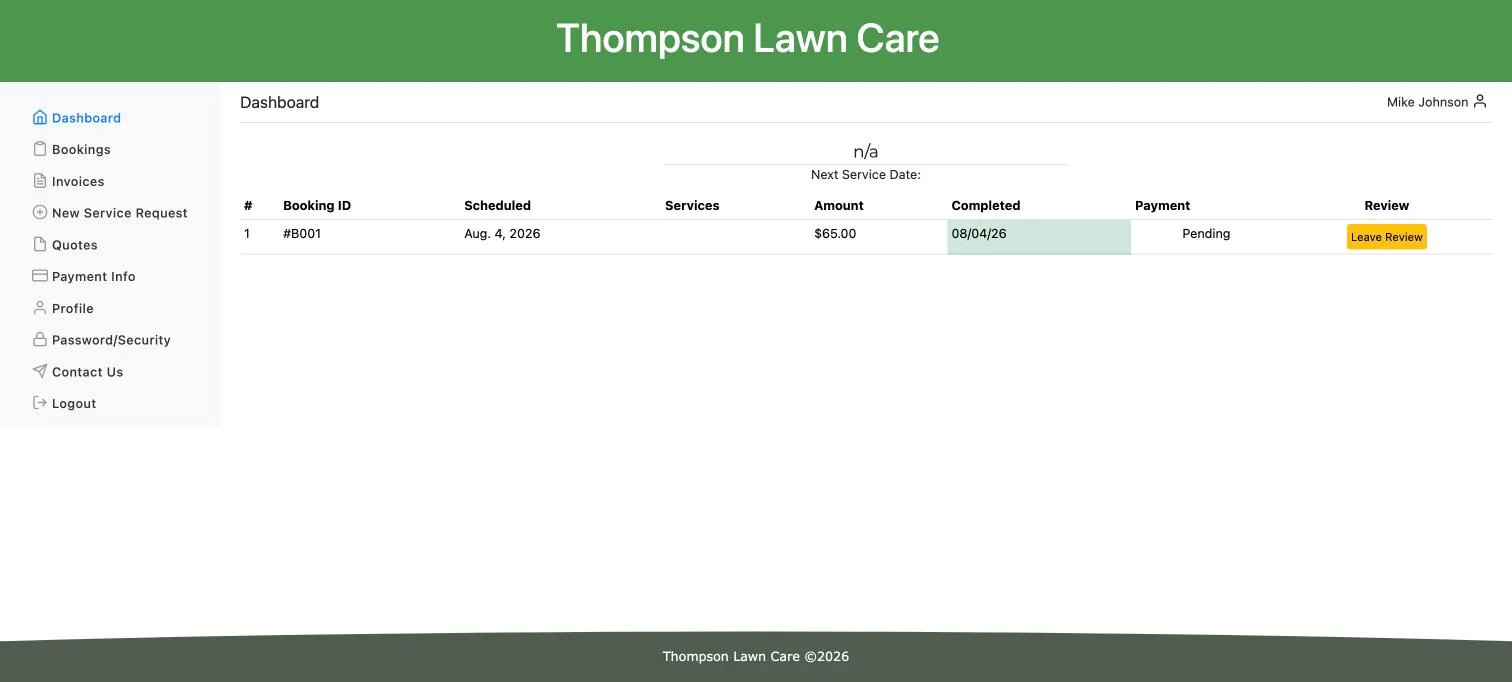
Every customer you invoice gets their own sign-in — a dashboard to see what's scheduled, pay what they owe, say yes or no to a quote, and manage how they pay, without ever having to call or email you to ask.
Who this is for
What it does
- Shows upcoming and past bookings. A customer sees what's scheduled, what already happened, and can leave a review or cancel a booking (or a whole recurring chain) themselves.
- Pays invoices inline. A Pay Now button on the invoice list and detail view uses the same pay-link logic as your public pay page and Copy pay link button, so it never offers a payment your invoice settings would refuse.
- Approves or declines quotes. One click each, with a confirmation step, and the decision locks once the quote is no longer open so a stale tab can't replay it.
- Manages payment methods. Customers add and remove their own cards, and bank accounts too if you've turned that on — kept in separate tables since only cards can be set as default.
- Takes new service requests. An existing customer can ask you for more work without going through a new signup.
- Lets customers manage their own account. Contact info on one page, password and security settings on another.
Bank account payments pay invoices only. Job charges and tips always require a card, regardless of whether you've enabled bank payments.
What you get out of it
Common questions
Do my customers need to install anything to use the portal?
No. It's a web sign-in, not an app. Customers log in at your site the same way you do, and the portal is responsive for anyone on a phone.
Can a customer pay by bank transfer, not just card?
Only if you've turned on bank payments (ACH) in your Business Settings, and only for invoices — jobs and tips stay card-only either way. See the guide for how to turn it on.
Can a customer still change their mind after declining a quote?
Not through the portal. Once a quote is no longer open — accepted, declined, or pulled back to draft on your end — the portal's response locks and won't let a customer replay a different answer. Reach out to them directly if you need to revisit it.
Can I control what a customer sees, or is the whole portal always on?
The core surfaces — bookings, invoices, quotes, profile, security — are always there for a signed-in customer. The one thing that's opt-in is bank account payments, which stay off until you enable them.
Does the portal show my branding?
Yes, at a high level — the portal runs under your own domain and branding. The specific document branding (logo, license number, footer terms on invoices and quotes) is a separate feature; see Invoice Branding for that.
Ready to get started?
Self-serve approvals, payments, and subscription management.