Stripe Connect
Accept payments through your own Stripe account with automated platform fees.
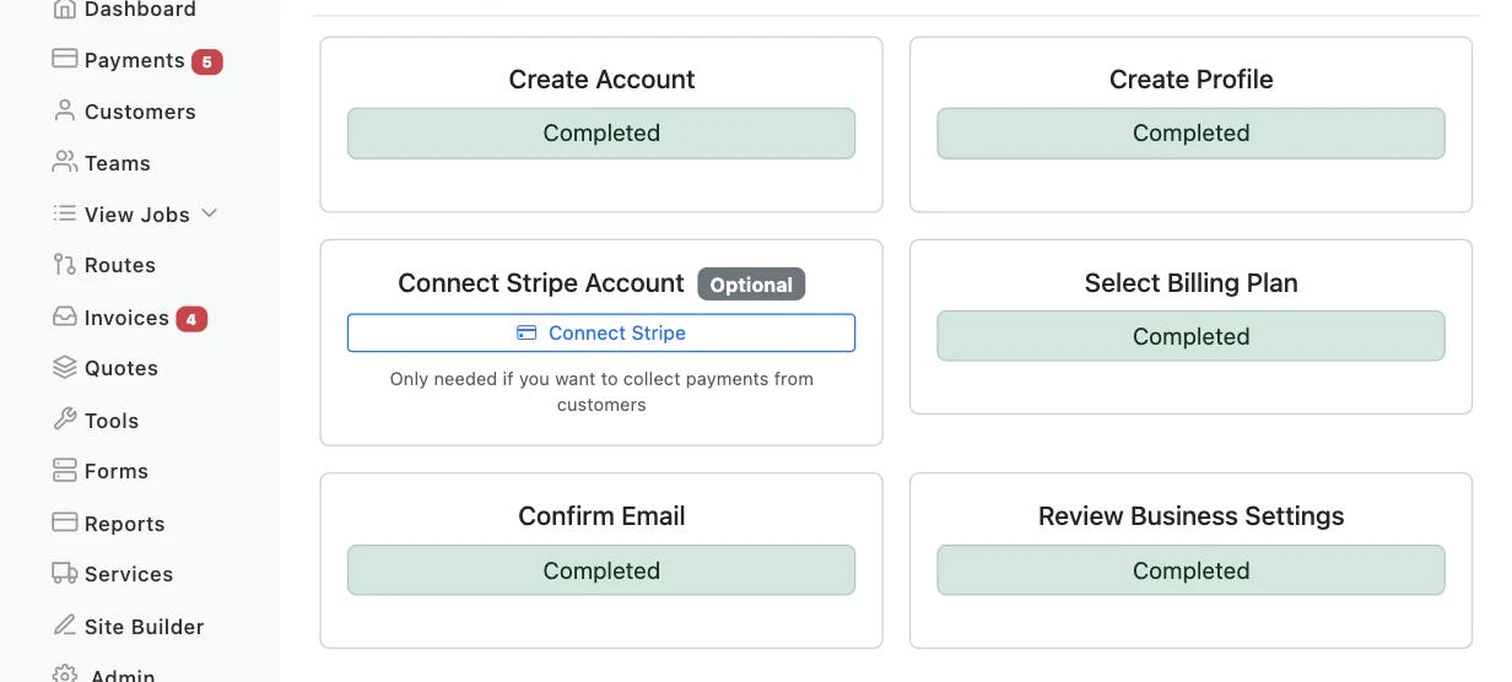
Every card charge, refund, and payout to your bank runs through your own Stripe account — LawnBeast never touches the money directly. This is the one-time setup that makes that possible.
Who this is for
What it does
- Creates your own Stripe account, automatically. This happens in the background when you sign up — you don't create a Stripe account yourself, and you don't need one already.
- Walks you through Stripe's own onboarding form. Business or individual details and your bank account for payouts, filled in on Stripe's hosted page, not LawnBeast's.
- Unlocks card charges, holds, and refunds. These four actions are unavailable anywhere in the app until this is finished.
- Routes every card payment straight to your bank. LawnBeast takes its fee off the top of each charge; the rest lands in your account on Stripe's normal payout schedule.
- Regenerates an expired setup link automatically. If you started onboarding and the link went stale, coming back to Account Management gets you a fresh one — no need to start over from scratch.
The fee LawnBeast takes on each charge is a percentage set by your subscription plan, not a flat number — it can differ from another contractor's rate.
What you get out of it
Common questions
Do I have to do this to use LawnBeast?
No. It's explicitly optional — the Account Management checklist marks it "Optional" and every other part of account setup works without it. You only need it if you want to charge, hold, or refund a card through LawnBeast.
Do I need my own Stripe account first?
No — LawnBeast creates one for you automatically when you sign up. "Connecting Stripe" means finishing that account's onboarding form, not linking one you already have.
How much does LawnBeast take from each charge?
A percentage set by your subscription plan, taken automatically from each card charge before the rest is paid out to your bank. It's plan-specific, so check your plan's details for the exact rate rather than assuming it matches another contractor's.
Where do I see my payout history or account balance?
On dashboard.stripe.com, logged in with your own Stripe credentials — it's your account, and LawnBeast doesn't generate a separate login link into it.
My setup link stopped working — what now?
Stripe's onboarding links expire after a while. Just go back to Account Management and click Connect Stripe again — a fresh link is generated automatically.
Ready to get started?
Accept payments through your own Stripe account with automated platform fees.