Install the LawnBeast iPhone app and sign in
Get the app from the App Store, sign in with the account you already use on lawnbeast.com, and know what to do if you were on the TestFlight beta.
You need an iPhone running iOS 18 or later (the app doesn't support iPad), and a LawnBeast login that already exists — either your contractor account or a team member account your contractor created for you on the website. There is no sign-up inside the app.
1Install it from the App Store
-
On your iPhone, open the LawnBeast listing on the App Store, or search the App Store for LawnBeast.
-
Tap Get and confirm the install the way you normally do on your phone.
-
Tap Open, or find LawnBeast on your Home Screen.
How to check it worked
The app opens on a screen with the LawnBeast · Field App wordmark and a Sign In form asking for your email address and password.
2Sign in with your existing account
-
Enter the Email address and Password you use on lawnbeast.com.
-
Tap Sign In.
That message means you signed in with a customer login. The app only accepts contractor and team member accounts. Customers use the customer portal on the web instead.
If you've forgotten your password
Tap Forgot password? under the form. The app explains that contractors reset their password at lawnbeast.com, and team members should contact their administrator. Tap Open lawnbeast.com to go straight to the website. If you're a team member, the contractor who created your account resets it for you — the app can't do it.
How to check it worked
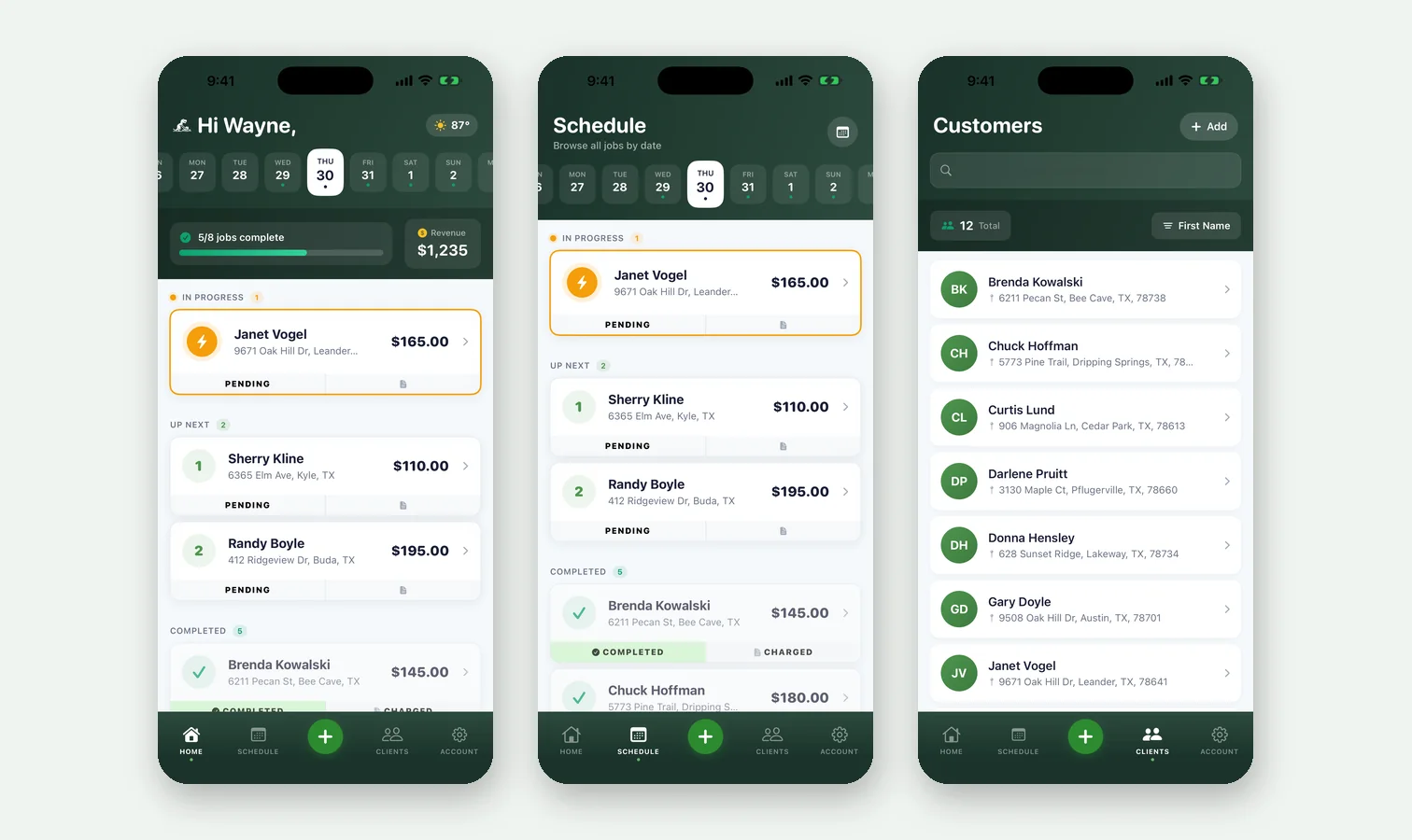
The Home tab greets you by first name and shows the week strip, today's jobs complete, and a Revenue tile. Along the bottom are the Home, Schedule, Clients and Account tabs with the green + button in the middle.
3If you were on the TestFlight beta
Install from the App Store exactly as above. It's the same app and the same account, so there's nothing to move over — your customers, jobs and invoices live on your LawnBeast account, not on the phone. The App Store version takes the place of the beta build on your phone.
The beta stays open for anyone who wants new builds before they reach the App Store, but it isn't required any more. Keep in mind that a TestFlight build stops working 90 days after it was released, while an App Store install doesn't expire.
Reference
| Requirement | Value |
|---|---|
| Device | iPhone only. No iPad version. |
| iOS version | iOS 18 or later |
| Who can sign in | Contractor accounts and team member accounts. Customer logins are refused. |
| Creating an account | On the website only. Contractors sign up at lawnbeast.com; team members are created by their contractor. |
| Resetting a password | Contractors at lawnbeast.com. Team members ask the contractor who created their account. |
| Changing a team member account | The Account tab shows an Account Management card explaining that the account is managed by your employer. Updates and removal go through your administrator. |
| Where to get it | apps.apple.com/us/app/lawnbeast/id6759645843 |