Your customers can now pay invoices by bank transfer, right from their portal
Invoice pay links now show up inline in the customer portal, and customers can pay straight from a bank account if you've turned it on — both gated on what you've actually enabled.
Two changes shipped together in v1.16.0: an invoice pay link now shows up right inside the customer portal instead of only on a separate public page, and customers can pay that invoice from a bank account instead of a card — if you've turned bank payments on.
01Pay Now, without leaving the portal
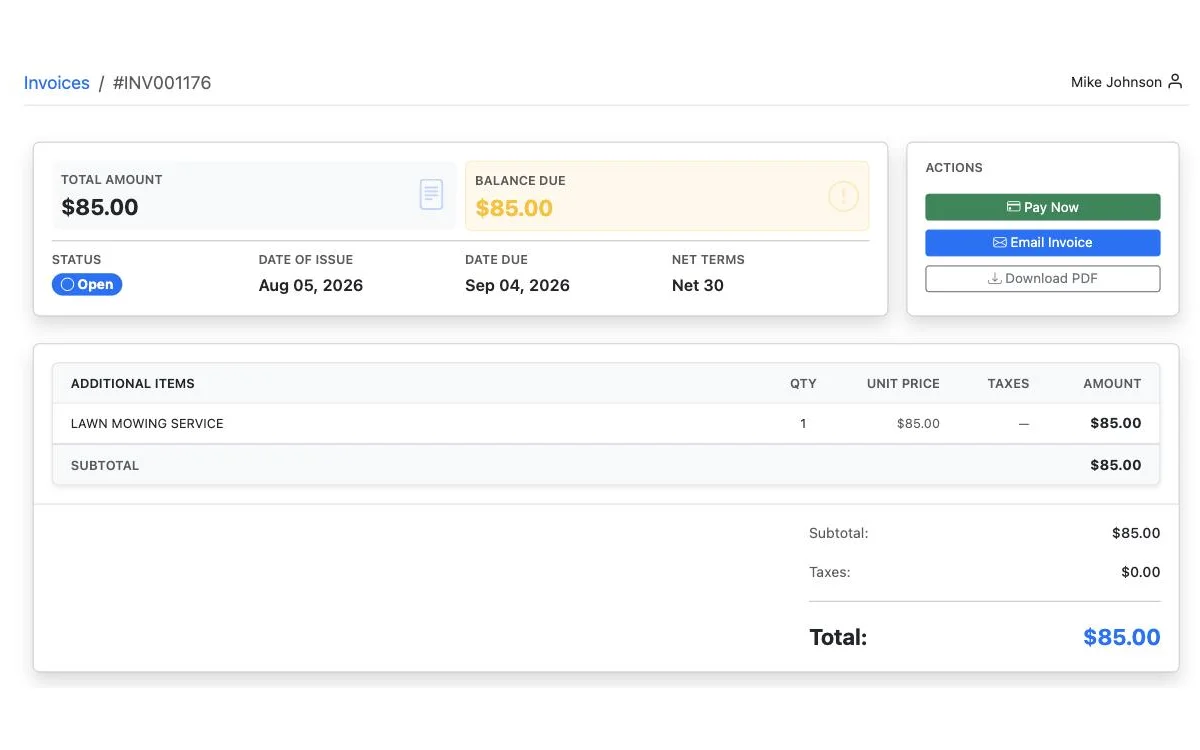
Before this, a customer paying an invoice through the portal was really just following a link out to the same public pay page anyone gets sent. Now that pay experience is surfaced directly on /my-invoices — in the invoice detail view, in the list rows, and as a Pay Now button on the balance tile.
It's gated by the exact same rule your Copy pay link button and the public pay page use, so the portal never offers to take a payment your invoice settings would refuse — a draft, a void, an already-paid invoice, or a contractor account that currently can't accept charges all correctly show no Pay button at all.
02Bank account payments, opt-in per contractor
If you've enabled bank payments (ACH) in Business Settings, your customers now see a bank account option alongside cards when they pay — and can save one for next time from their portal's Payment Info page, the same way they'd save a card.
- Lower processing fees than cards, in exchange for slower settlement — about 4 business days, during which the invoice reads "Payment processing."
- Jobs and tips stay card-only. This only ever applies to invoice pay links.
- Bank accounts can't be set as a default payment method. That's enforced on the server, not just hidden in the UI — a saved bank account can never silently replace the card a job charge or tip is pinned to.